
{{ activeDate }} · {{ activeRead }}
{{ activeTitle }}
{{ activeBody }}
Facing this on your programme?
Talk to us
Empowering transformations through trusted testing. We prove functional parity between your mainframe and its modern replacement — before you flip the switch.
{{ cap.body }}
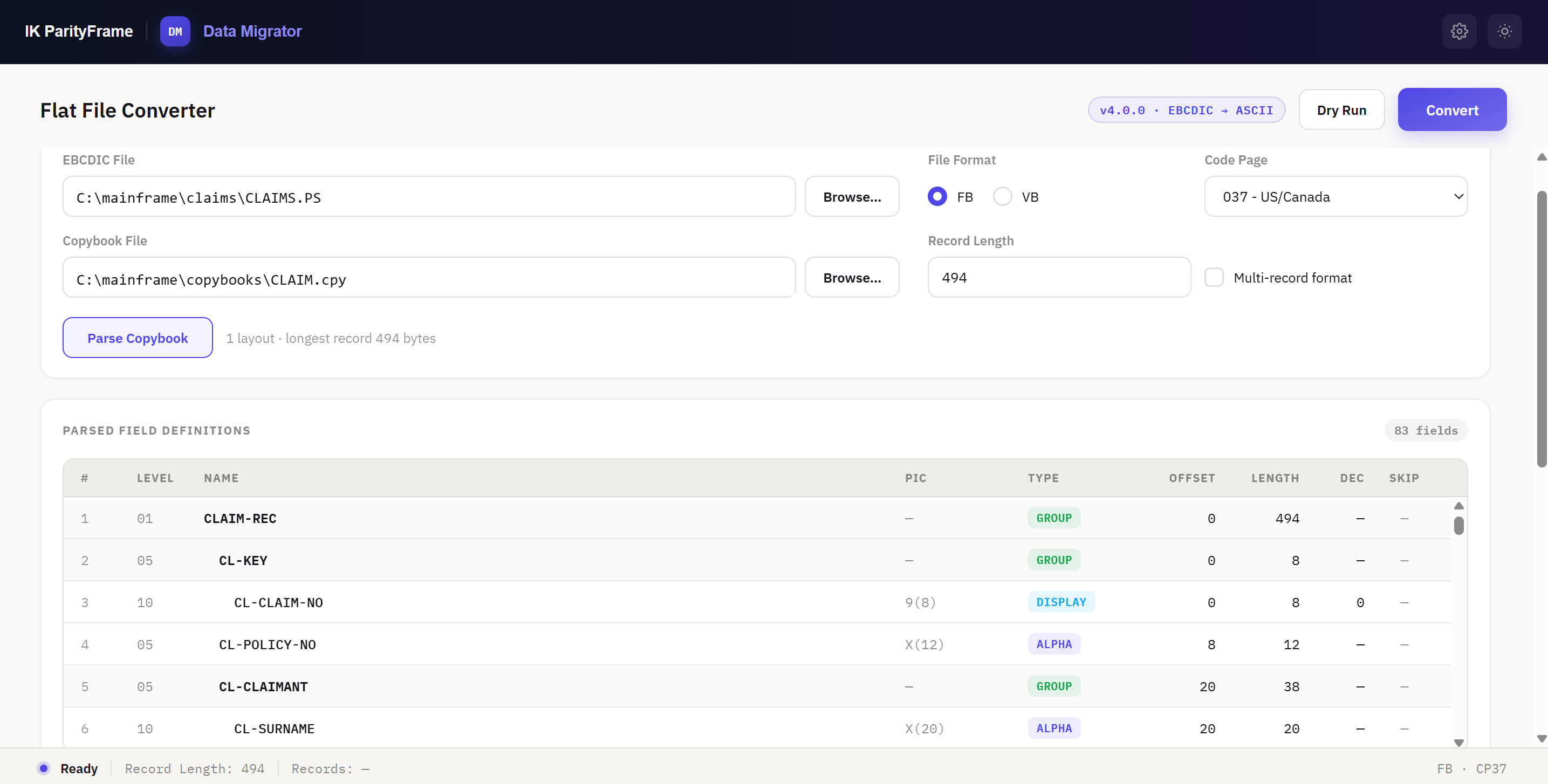
A Windows desktop tool that converts IBM mainframe files from EBCDIC to ASCII using their COBOL copybook — to CSV, fixed-width, JSON, or straight into a REST API. Configure a batch of files once, then run it as often as the programme needs.
Explore Data MigratorWe specialize exclusively in testing modernized mainframe applications — ensuring your migration is functionally sound before it goes live.
{{ step.body }}
Let's modernize together. Tell us where you are in the programme and we'll tell you what parity evidence you're missing.
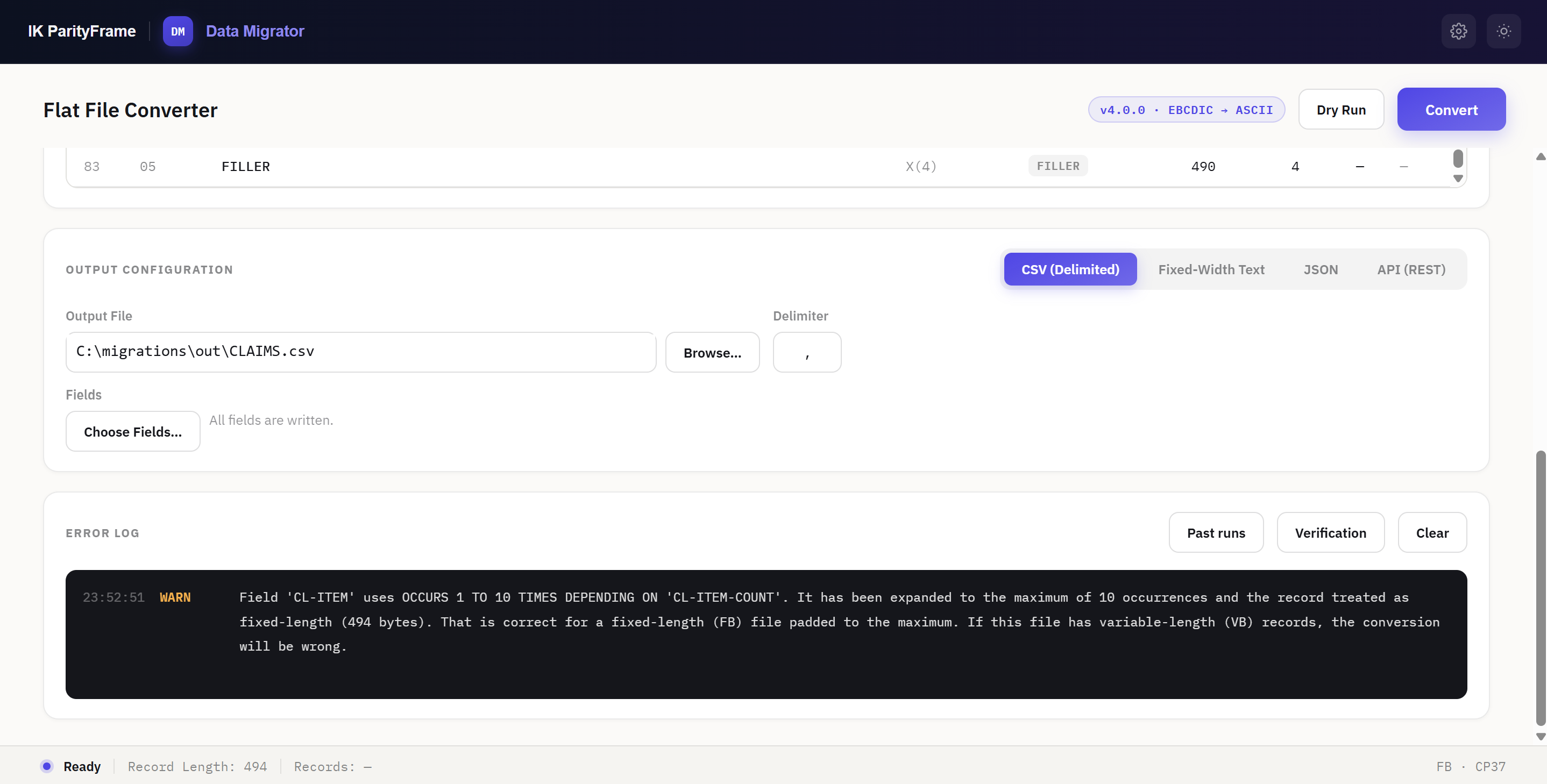
Read a mainframe file with its COBOL copybook. Convert it to CSV, fixed-width text, JSON, or load it directly into a REST API. Save the configuration as a project and re-run the whole batch whenever the data changes.
{{ f.body }}
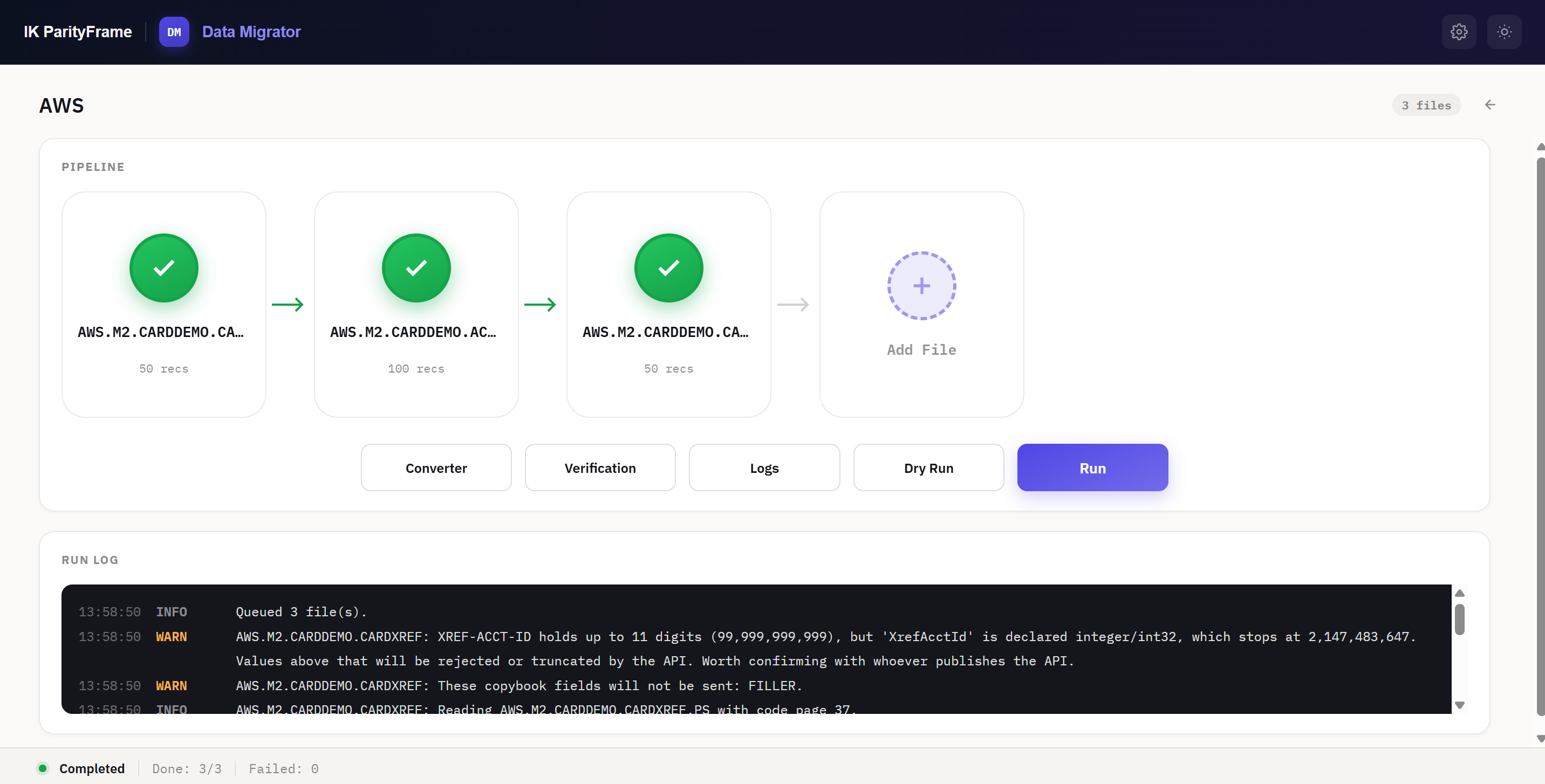
A project holds every file in the migration with its copybook, layout and output target. Dry-run the whole pipeline to validate without writing anything, then run it and watch each file complete, fail or skip.
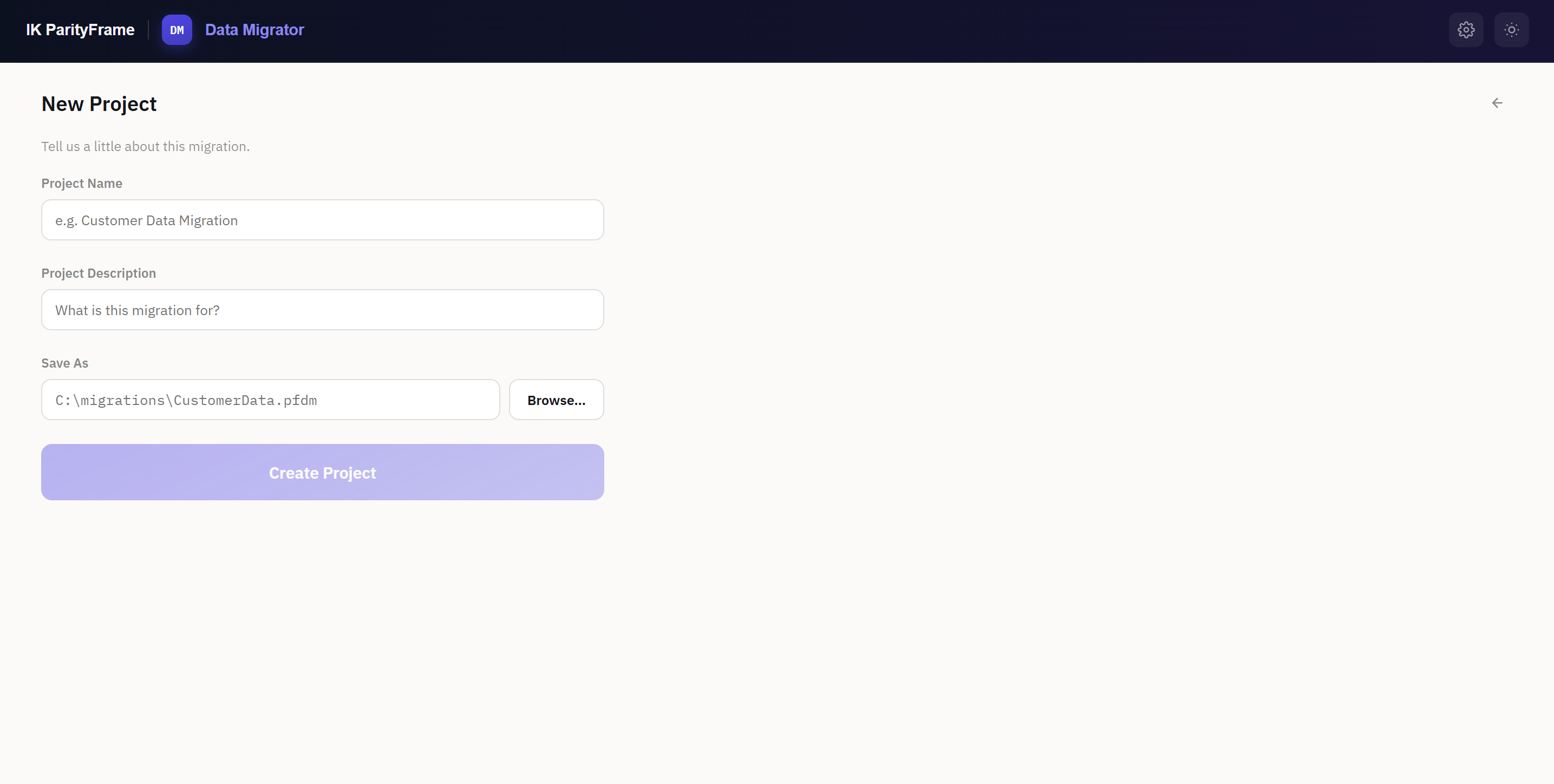
Name the migration and choose where the project file lives. It's a single portable file — keep it beside the data or in source control.
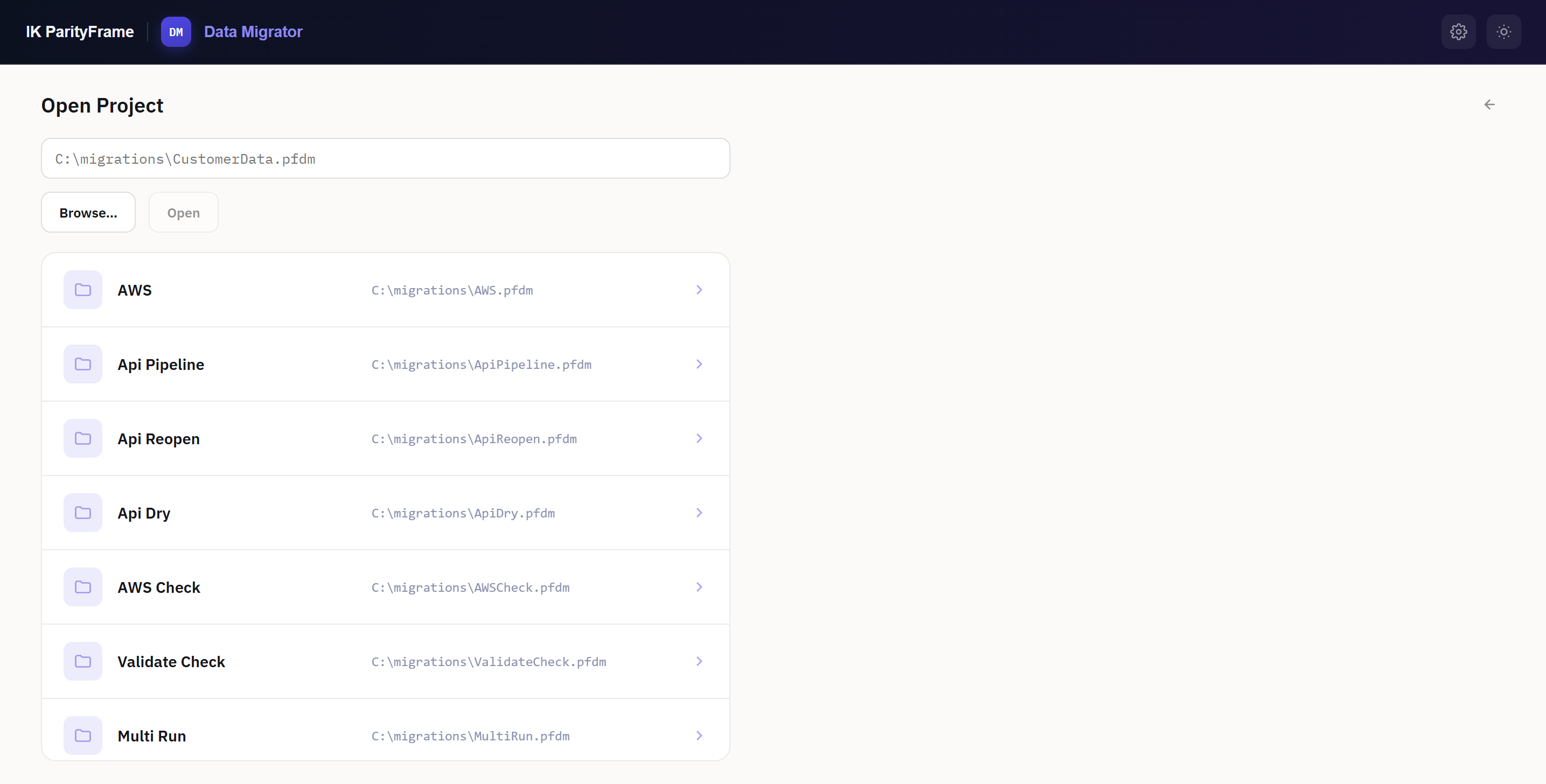
Recent projects are one click away, and a project file from a colleague's machine opens just as well.
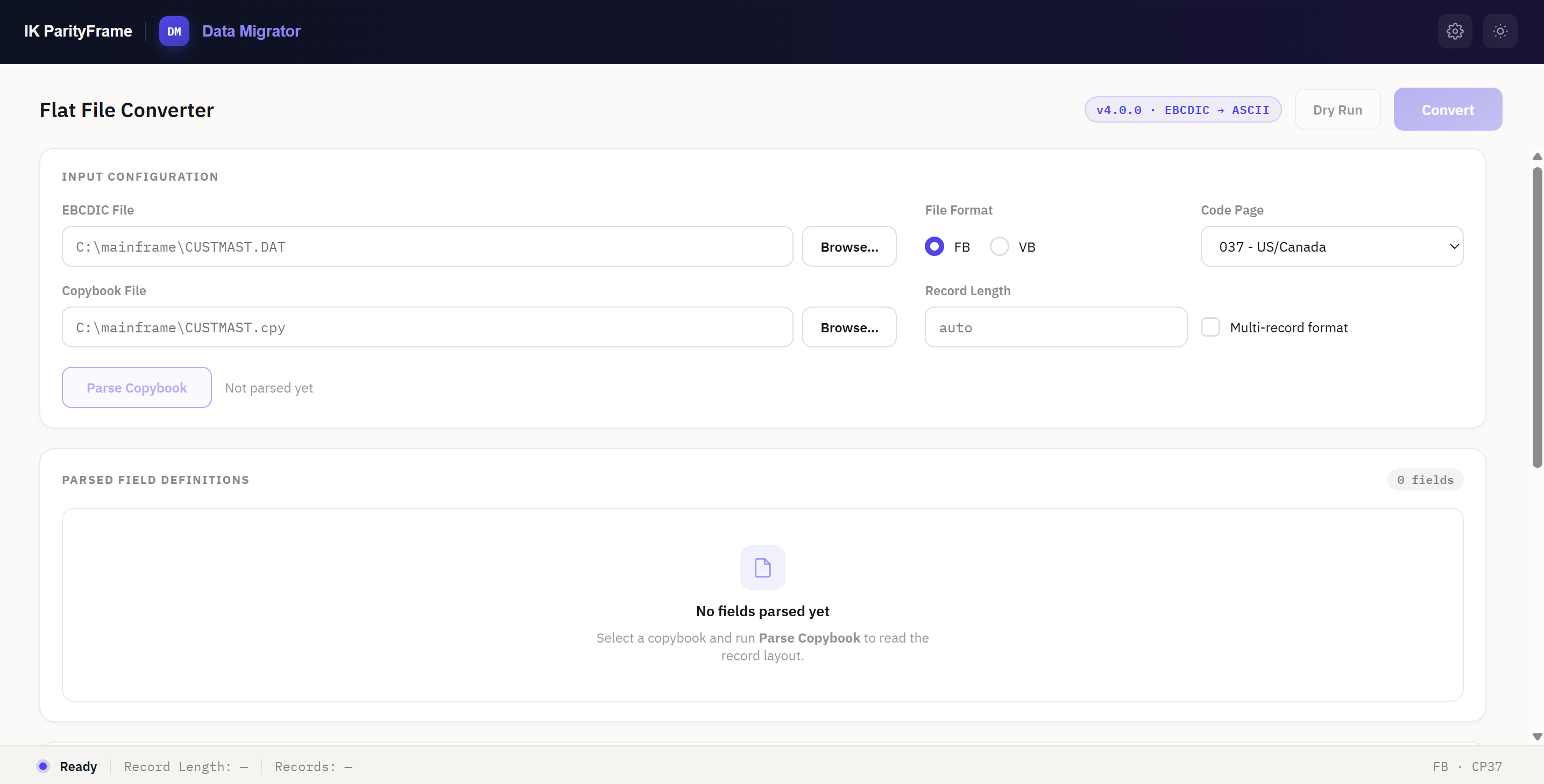
Parse the copybook and read the full field grid — level, name, PIC, type, offset, length, decimals and which fields are skipped in output.
Pick the format, choose which fields are written, then convert. Warnings name the likely cause rather than guessing at a fix.
Runs entirely on the operator's machine — no cloud service, no data leaving the desktop. Distributed as a per-machine MSI installer for Windows.
Leave your email and the installer downloads right away — run it against your own copybook and sample file on your machine.
Four components, used together on every engagement. Each one exists because a programme we worked on lost weeks without it.
{{ tb.body }}
We're a small, senior team. You'll be in the detail of a real migration from week one — no bench, no shadowing.
When that changes, openings will be listed here first. If you have deep mainframe or modernization-testing experience, we'd still like to know you exist.
{{ role.body }}
Write to us anyway. Deep COBOL, JCL, DB2 or IMS experience always gets a reply.
Practical writing on parity testing, legacy analysis and cutover evidence.
{{ post.excerpt }}